2 videos

See it in action

Choose your licence

Pixel Plus: Event tracking + Pixel Catalogue

Total

One-off payment. One year of updates, or a lifetime licence.
Try the live demo

A real shop with the module installed. Opens in a new tab.

Description

With nearly 5000 downloads and almost a perfect score, Pixel Plus is the best option available if you want a reliable module to track your Facebook events and to create a Pixel event based product catalogue.

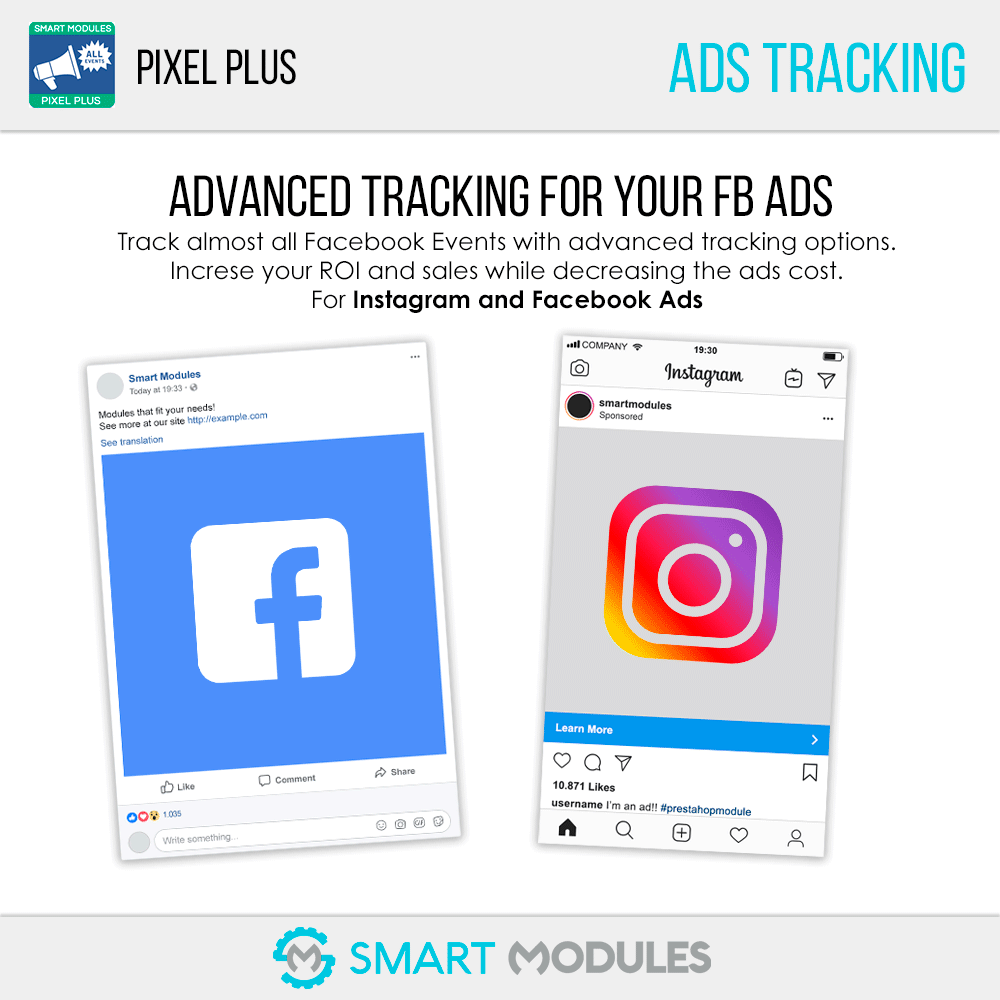
Track all Facebook Events: PageView, ViewContent, AddToCart, AddToWishlist, ViewCategory, InitiateCheckout, CompleteRegistration and Purchase.


PrestaShop module · Smart Modules · Since 2013

Pixel Plus for Facebook – The Facebook Pixel and Conversions API PrestaShop Shops Trust

Track everything. Count it once. Fit any shop.

Your Facebook and Instagram ads are only as good as the data they learn from. Pixel Plus gives Meta the full picture of your shop, and fits the way your shop already works.

  • The whole journey: 22 events, from the first visit to the sale. You choose which ones to send.
  • Browser and server, working together: every event goes out through the pixel and through Meta's Conversions API with a shared ID, so Meta counts it once. Nothing to set up for that.
  • Adapts to your shop: your theme, checkout, page cache and cookie banner, with advanced options when you need them and consent control that can hold back everything until the visitor accepts.

More than 17,000 downloads since 2013 · rated 4.7 / 5 by 129 shops on Addons · support from the team that builds it

Trusted by PrestaShop shops since 2013

Pixel Plus started as a simple Facebook pixel for PrestaShop. Year after year it grew with what shops asked for: more events, a product catalogue, the Conversions API, cookie consent, diagnostics and, now, statistics inside your back office. Built and supported by the same developers from day one.

0 +
downloads
0
reviews on Addons, rated 4.7 / 5
0
the year it all started
0
events tracked
Reliability

Nothing lost on the way. Nothing counted twice.

A pixel that only works in the visitor's browser misses events: some browsers and extensions block it, shoppers close the tab, and payment pages that redirect can skip the thank-you page. Others count the same event twice. Either way, Meta optimises your ads with the wrong numbers, and you pay for it.

Pixel Plus takes care of it, and the purchase, the event that matters most, gets extra care:

  • Nothing lost: every event is sent from the visitor's browser and from your own server, through Meta's Conversions API. Purchases are sent the moment the order is placed, even if the customer never reaches the thank-you page.
  • Nothing counted twice: both copies are linked, so Meta keeps one. Each order always carries the same identifier, so when a page is reloaded or a payment module confirms an order twice, Meta recognises the repeat and keeps one purchase.
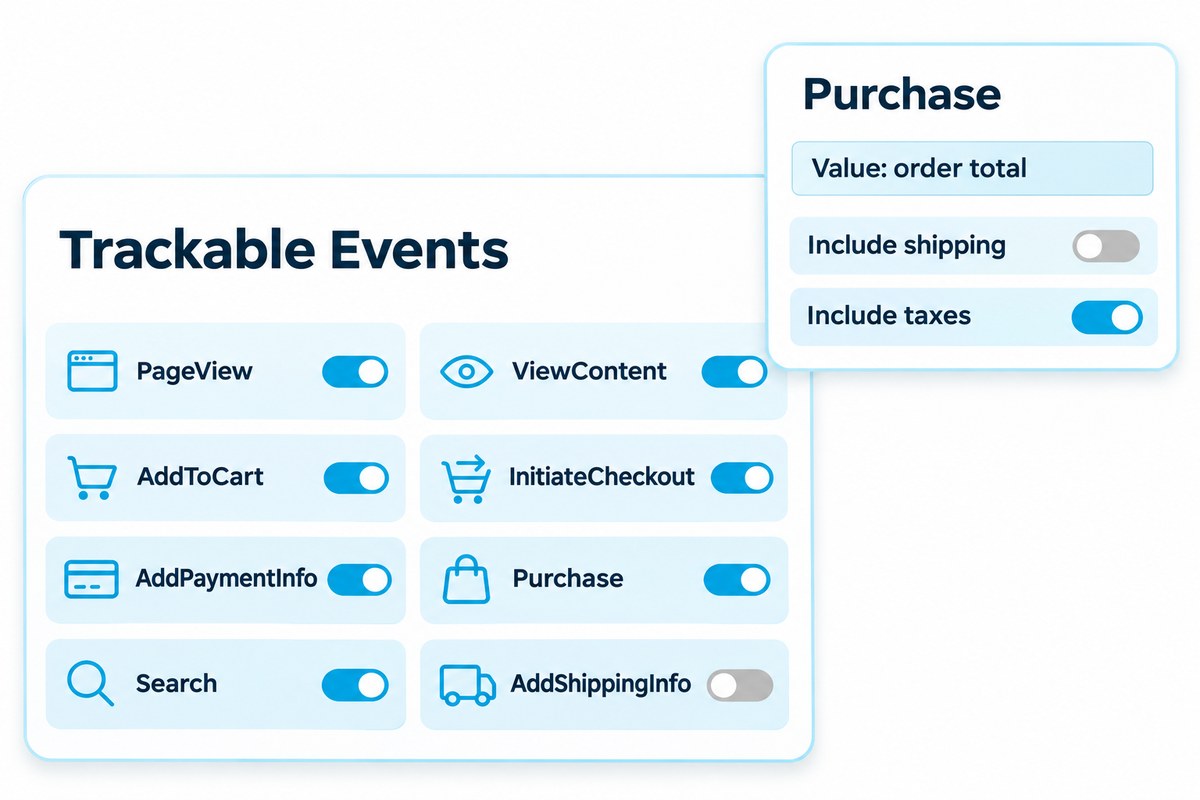
  • Only the sales that count: leave out back-office orders, the order statuses you choose, and your own customer account or group (handy for test orders), and choose whether the value includes shipping and taxes.
  • Safe for your checkout: the purchase is sent safely. If sending fails, the problem is logged and your customer still sees the thank-you page.
  • Every sale credited to the right ad: customer details sent protected and the click on your ad kept, so Meta can tell which ad brought each sale.

Up and running in minutes

No code, no developer. Four steps from installing the module to seeing your first event in Meta.

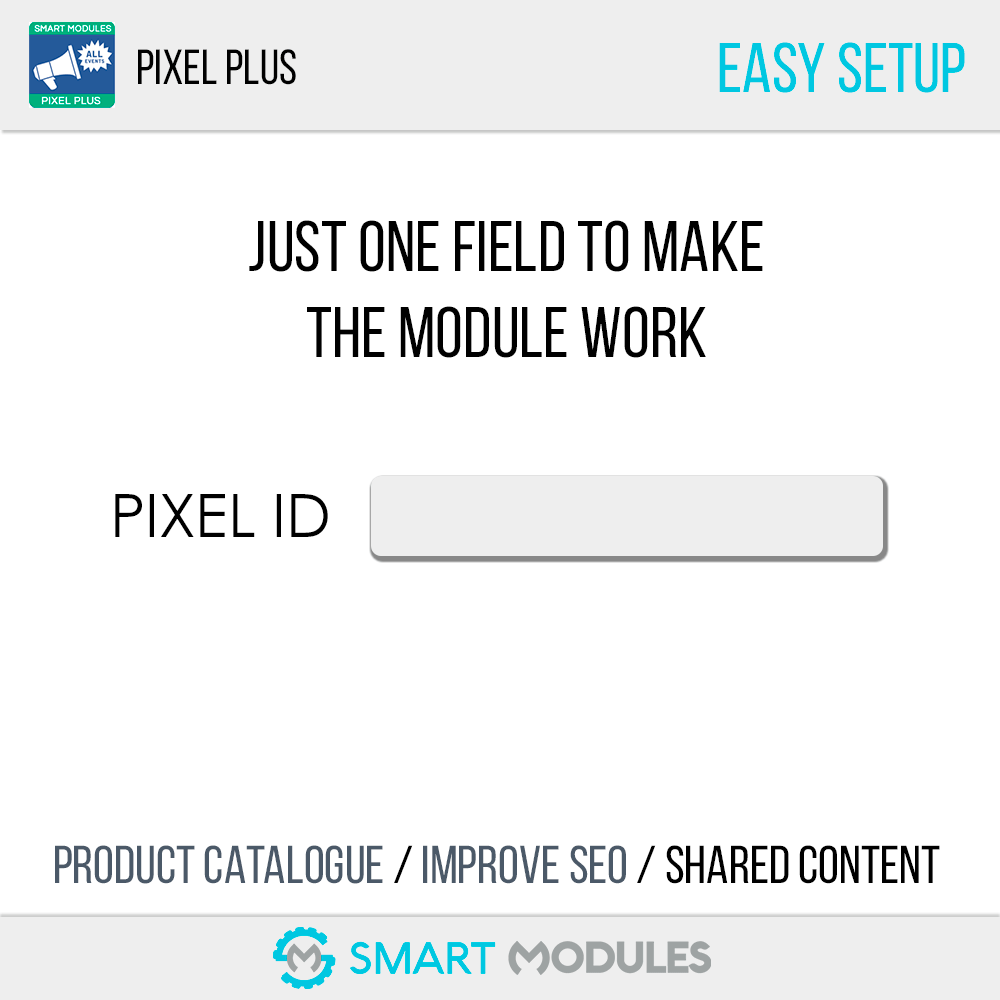
1. Paste your pixel ID

Go live straight away, or start in Test Mode, visible only to you while you check everything.

2. Connect the Conversions API

Paste the access token from Meta's Events Manager. A Test button tells you at once if it works.

3. Choose your events

22 event types, most with their own switch. The usual ones are already on; the extra checkout steps are optional.

4. Check it in one click

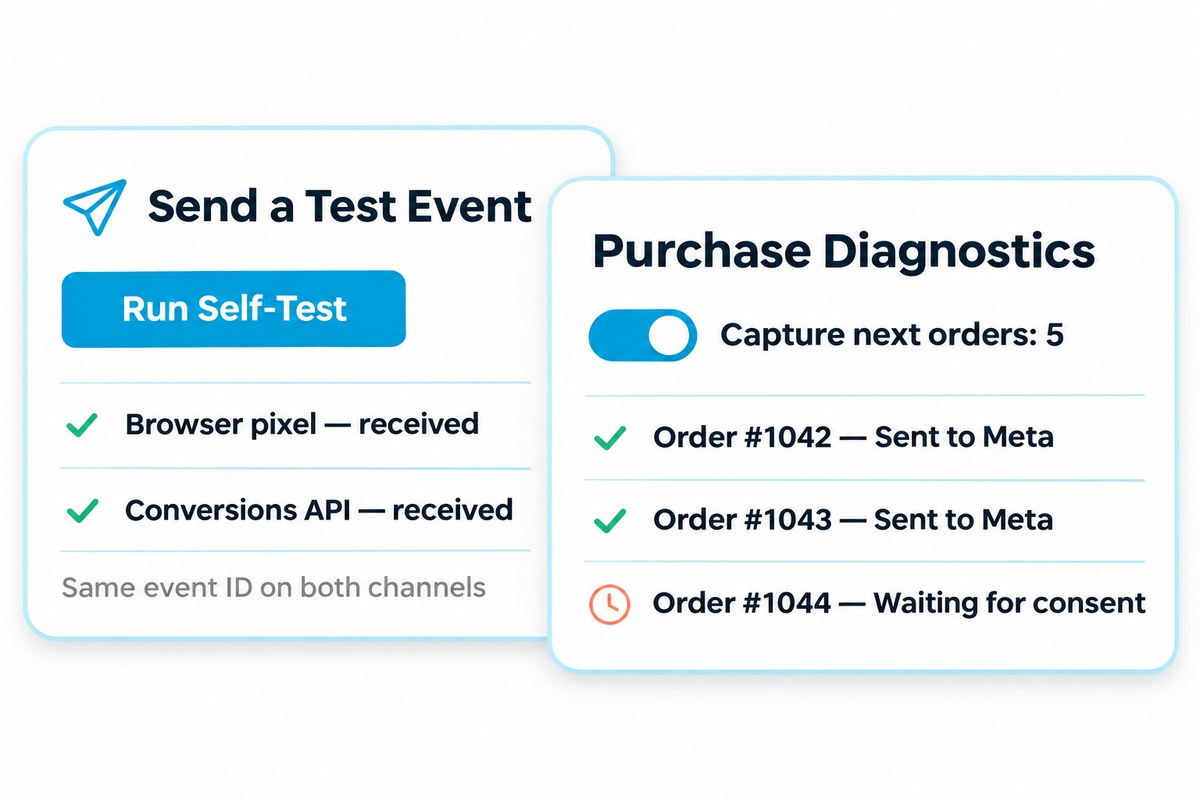
Send a test event and the module tells you whether the browser and your server each sent it.

Every step is explained, with screenshots, in the Pixel Plus user guides.

What Pixel Plus tracks

22 events, from the first visit to the sale

Events are sent from the browser and from your server, and most have their own switch, so you send exactly what your ads need.

Browsing

Page views, products, categories, content pages and searches.

Shopping

Add to cart, wishlist, cart view and discount codes.

Checkout

Every step, from starting the checkout to choosing shipping and payment.

Conversion

Purchase, registration, contact form and newsletter.

* Symbolic representation of the module screens, simplified for easier understanding.

What you can do with them

Turn every visit into better ads

Each action in your shop becomes an event Meta can learn from and build audiences with.

Bring visitors back

Show ads to people who viewed a product, added it to the cart or started the checkout and did not buy.

Find new customers

Meta looks for people similar to your buyers and your most interested visitors.

Know which ads sell

Purchases and their value are credited to the campaign that brought them, so you can stop what does not work.

Spot your most interested visitors

Time on page (30 seconds to 2 minutes) and pages viewed (5, 10, 15, 20) turn engagement into audiences.

Use your customer list

Export customers and newsletter subscribers to create Custom Audiences in Meta.

Made for real shops

Every shop is different. Pixel Plus adapts to your theme, your cache, your cookie banner and your checkout. Hover over (or tap) each card.

GDPR consent, your way

Full blocking until the visitor accepts.

Works with your banner

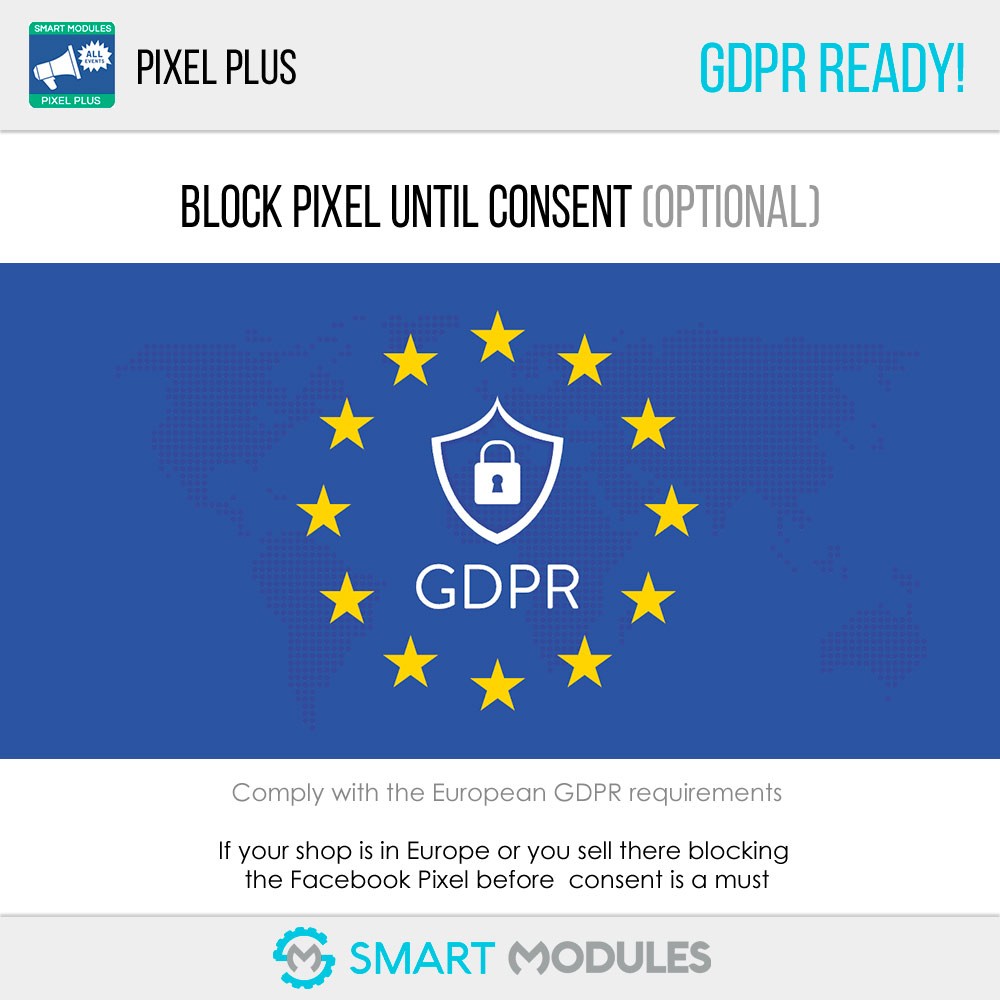
Turn on consent control and tell the module where your cookie banner keeps its answer, including the standard most consent platforms use (IAB TCF). From then on nothing is sent to Meta until the visitor accepts.

Fast pages, correct data

Ready for page caches.

Built for caching

Shops that use a page cache serve the same page to many visitors. Pixel Plus keeps each visitor's data and consent apart, and skips cart and checkout events on cached pages on purpose, so one visitor's basket is never reported as another's.

Any theme, any checkout

Adapts to your shop.

Flexible

Works with standard and custom themes, one-page checkout modules and popular wishlist modules. Custom buttons can be set up in the options.

Multistore and several pixels

One module for all your shops.

Per shop

Each shop has its own pixels, events, consent and catalogue settings, and one shop can send its events to more than one pixel.

Privacy built in

Only what Meta needs.

Careful with data

Customer details are hashed (turned into an unreadable code) before leaving your shop. Personal data in page addresses (names, emails, phone numbers, order keys) is removed from what your server sends, and an option does the same for the browser pixel.

Bots left out

Real visitors only.

Clean statistics

Search engines, AI crawlers and other bots are recognised and never load the pixel, so they do not inflate your numbers.

Light on your pages

Your shop stays fast.

Loads after your page

The pixel starts once the page has loaded, at the first interaction, with an optional extra delay for the first visit.

Advanced options

When you need them.

Fine control

Report a purchase only once the payment is confirmed, special handling for payments that leave your site, a value per event, a refund event, domain verification, Google product categories and more, all optional.
New in Pixel Plus 3.0

See how your pixel is doing, without leaving PrestaShop

Until now, checking your pixel meant opening Meta's Events Manager and reading its charts. Version 3.0 brings that view into your back office, next to the settings that improve it.

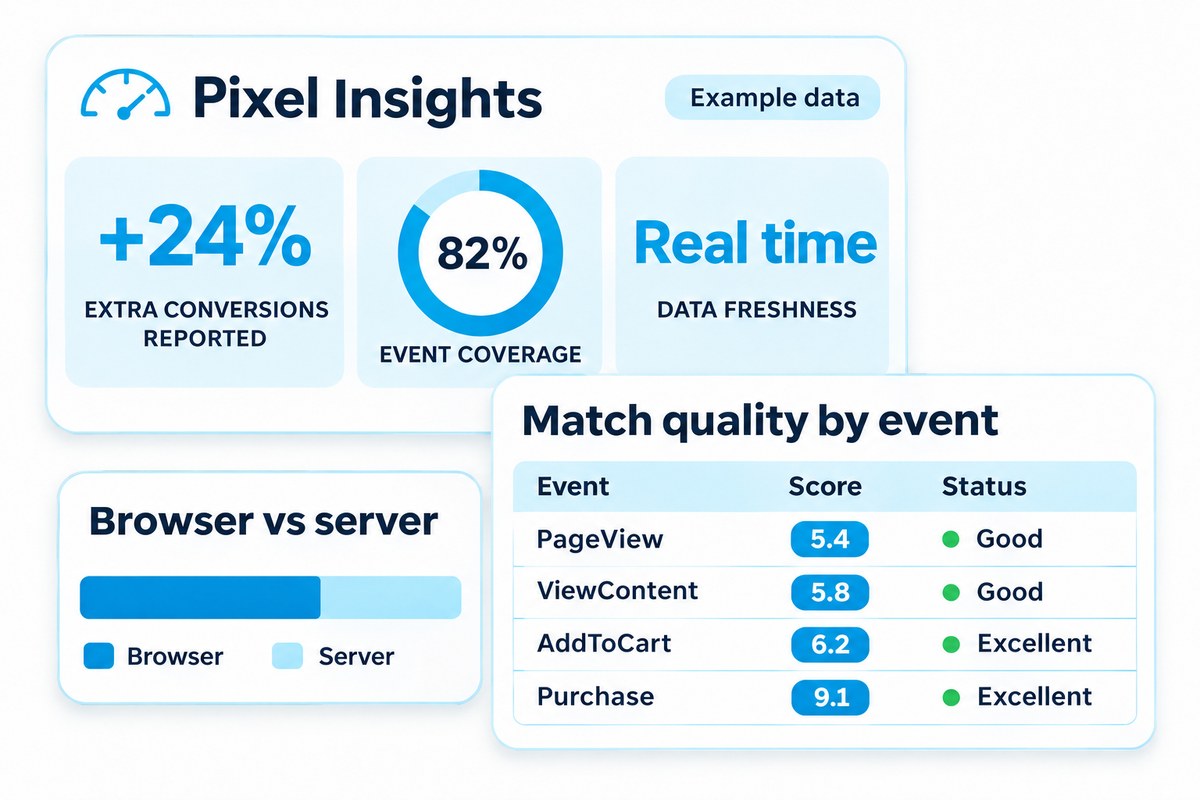
Pixel Insights: your pixel's health

  • How well Meta recognises your customers, event by event, and which events could do better.
  • The extra sales Meta has counted thanks to the Conversions API in the last 7 days.
  • How many events arrive, from the browser and from your server, and from which devices.
  • Clear messages when something is wrong, with what to do about it.
  • Try it first: until you connect it, the screen shows example figures, clearly marked.

* Symbolic representation of the module screens, simplified for easier understanding. Figures are examples.

* Symbolic representation of the module screens, simplified for easier understanding.

A back office that explains itself

  • A dashboard that shows at a glance what is set up and what is missing, with a card for every section.
  • One-click test: a real test event through the browser and your server, with the result for each.
  • Purchase Diagnostics: follow your next orders one by one, from the order to Meta.
  • Event log: switch it on to see the last events and, if you want, the full data each one sent.
  • Guides and 25 answers inside the module, each section with a link to its step-by-step guide.
Pixel catalogue

A product catalogue built by your pixel

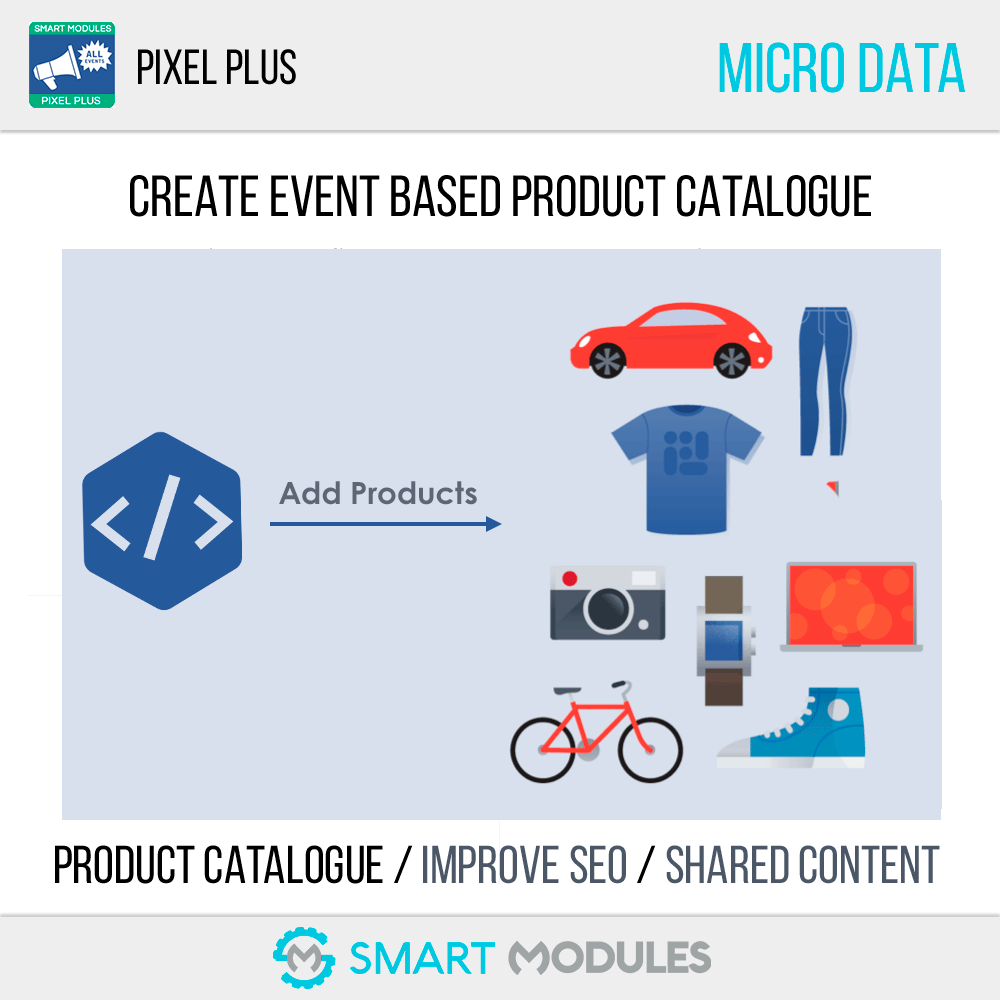
Dynamic ads show each person the products they looked at. For that, Meta needs a catalogue of your products. Pixel Plus can create one for you, without any feed file to set up.

How it works: when a visitor opens a product page, the pixel tells Meta which product it is, and Meta reads its name, price, image and availability from the page itself. Product by product, Meta builds and updates your catalogue.

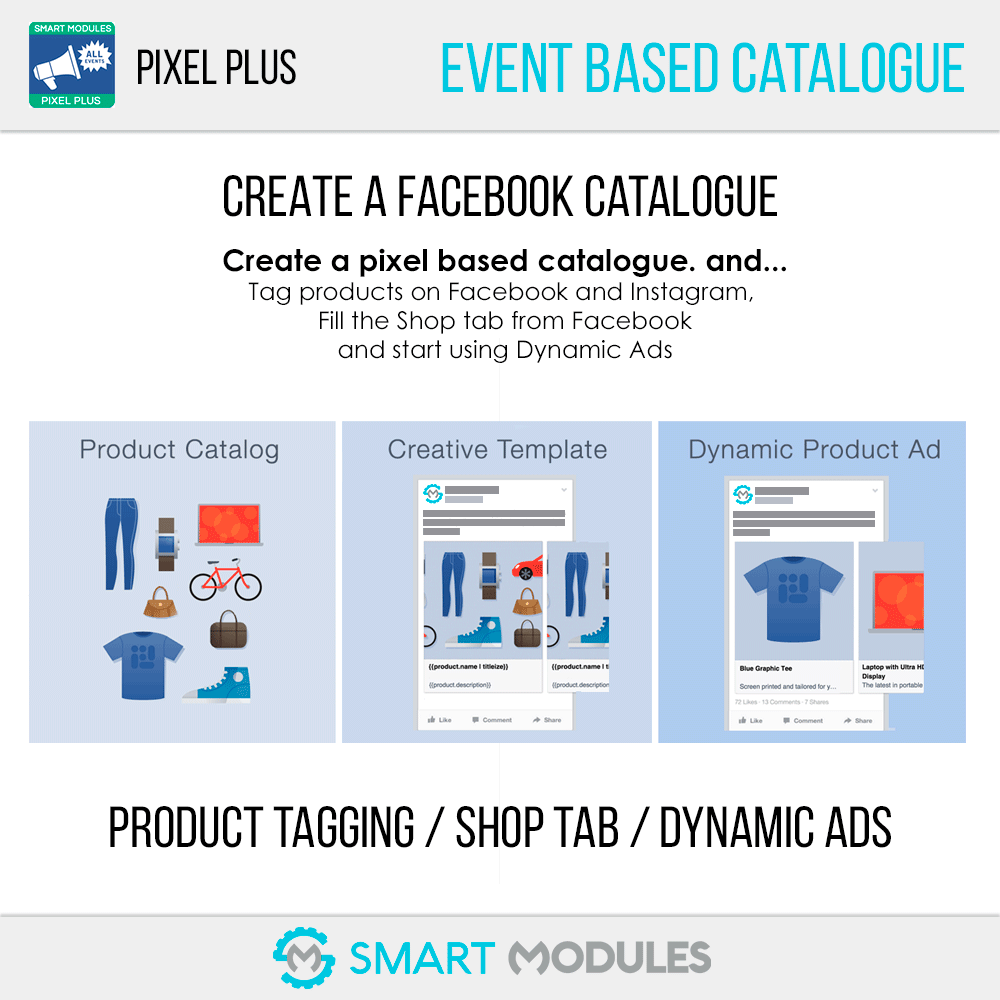
  • Tag products on Instagram and Facebook and show them in your Facebook shop.
  • Run dynamic ads that show each visitor the products they viewed.
  • Product pages Meta can read: the module adds the product information your theme is missing, and only what is missing. A scanner tells you what your theme already has.
  • Matching product IDs: by product ID or by reference, with or without combinations, the same way your catalogue names them.
  • The right catalogue for each shop and language.
  • A bonus when sharing: links to your products look better when shared on Facebook or WhatsApp, with the right image and title.
Better together

Want your whole catalogue? Add Products Feed

A pixel catalogue grows with your traffic: it contains the products visitors have opened. Products nobody has visited yet, and new arrivals, take time to appear. To put every product in your ads from day one, pair Pixel Plus with our Facebook & Instagram Product Catalogue Feed.

Pixel catalogue (included)

Products appear as visitors view them. Nothing to set up or schedule.

Products Feed (recommended)

Your whole catalogue from the start, combinations included, updated on schedule, with product groups for your campaigns, videos, promotions and Google Shopping.

In the latest versions of Pixel Plus and Products Feed, both modules share the same product settings: change them in one and the other follows, so every visit matches a product in your catalogue.

Peace of mind

Support from the people who build it

Pixel Plus is developed and supported by the same team since 2013. When something in your shop is unusual, you talk to the people who know the module inside out.

  • Test before going live: Test Mode shows the module only to you while you set it up on your live shop.
  • Step-by-step guides for every section, in English, Spanish, French and Italian, open to everyone: read them before you buy to see exactly what the module does.
  • Diagnostics ready to share: Purchase Diagnostics and the event log show exactly what happened, which makes any support request faster.
  • One year of updates included.
  • Rated 4.7 out of 5 by 129 shops on PrestaShop Addons.

Compatibility

  • PrestaShop 1.6, 1.7, 8 and 9.
  • Multistore, multi-language and multi-currency.
  • Works with our Facebook & Instagram Product Catalogue Feed (shared product settings in the latest versions of both) and with Attribute Wizard Pro when Products Feed is installed too.
  • Facebook and Instagram ads, with a Meta pixel.

Installation

  • Upload the module to your PrestaShop and install it.
  • Paste your pixel ID and choose: go live, or Test Mode just for you.
  • Connect the Conversions API with the token from Events Manager and press Test.
  • Send a test event and see it arrive in Meta.

Frequently asked questions

The questions shops ask us most, from more than 1,800 support conversations since 2014.

Before you buy

Because you get full control over what is sent and when: purchase rules, cookie consent, several pixels, multistore settings, a catalogue built by the pixel, statistics and diagnostics inside your back office, and support from the team that builds it. Shops have been choosing it since 2013.

PrestaShop 1.6, 1.7, 8 and 9, in single shops and multistores. It works with standard and custom themes, and recognises the most common one-page checkout and wishlist modules. If a theme uses its own buttons, they can be set up in the module's options, and our support team can help.

Yes. Every event can be sent from the visitor's browser and from your server at the same time. Both copies are linked, so Meta counts each one once.

The pixel works on its own. The Conversions API adds a copy of each event from your server, so purchases reach Meta even when the visitor's browser does not send them. Meta itself recommends using both.

It lets your pixel build a catalogue in Meta, with no file to set up: products are added as visitors view them. It does not create a CSV or XML file. If you want a file with your whole catalogue from the first day, that is what our Products Feed module does, and both modules work together.

Yes. The events it sends and the catalogue built by the pixel are what dynamic ads and product tags use. For a complete catalogue, add Products Feed.

Yes. Facebook and Instagram ads use the same Meta pixel, so the same events serve both.

Yes. Your cookie banner saves the visitor's answer in a cookie, in the browser's storage or in the standard consent format most platforms use (IAB TCF). Turn on consent control, tell the module where to read the answer, and nothing is sent to Meta until the visitor accepts. Set it up in the module rather than blocking the pixel from the banner, so the events of that page wait and are sent once consent arrives.

No. Pixels, events, consent and catalogue are set per shop, one shop can send to several pixels, and prices are sent in the visitor's currency.

Setting it up

Both are in Meta's Events Manager: the pixel ID in your data source, and the access token in its settings, in the Conversions API section. The module links to a step-by-step guide for each one.

Use the one-click test in the module: it sends a real test event from the browser and from your server and tells you whether each one was sent. You can also watch your events live in the Test Events tab of Events Manager, or with Meta's Pixel Helper extension.

We recommend removing it. Two installations send the same events twice, and Meta cannot tell they are the same. Pixel Plus sends the browser and server copies already linked, so it replaces both.

Yes. Test Mode shows the module only to you, so you can check everything on your live shop before your customers see it.

A screen in your back office that shows how Meta sees your pixel: how well it recognises your customers, the extra sales the Conversions API brings and how many events arrive. It is optional and needs its own access token from Meta (not the one used to send events), created in Business Settings; until you add one it shows example figures.

If something does not look right

Pixel Plus sends the purchase when the order is created, not when the thank-you page loads, so it does not depend on the customer coming back from the payment page. Some payment modules work differently; the module has a special mode for them. Turn on Purchase Diagnostics and it shows, order by order, what was sent and why.

Pixel Plus links its own browser and server copies, so Meta keeps one. Duplicates almost always come from a second installation: another module, Google Tag Manager or code added to the theme. The module includes a guide to find which one.

That is normal for a while: Meta can take a few hours to show new events in its reports. Use the Test Events tab, or the module's one-click test, to see them arrive straight away.

Usually it is one setting: the product IDs your pixel sends must be written exactly like the ones in your catalogue. Pixel Plus lets you choose the product ID or the reference, with or without combinations. In the latest versions of both modules, Pixel Plus and Products Feed share these settings, so they always match.

Match quality depends on what Meta can use to recognise each visitor. Pixel Plus sends the customer details your shop has, protected, and keeps the click on your ad. Visitors who are logged in or placing an order give much more than anonymous ones. Pixel Insights shows the score of each event in your back office.

No. Pixel Plus is built for it: each visitor's data and consent are kept separate, and cart and checkout events are skipped on cached pages on purpose, so no visitor is reported as another.

Search engines, AI crawlers and other bots are recognised: they never load the pixel and the module's own requests turn them away, so they do not inflate your numbers or load your server.

Track everything. Count it once.

More than 17,000 downloads, 4.7 / 5 on Addons and one year of updates included.
Reviews
4.7
★ ★ ★ ★ ★
148 reviews
5 ★
109
4 ★
34
3 ★
2
2 ★
0
1 ★
3
Filter:
Jyoko J. Verified buyer PrestaShop Addons
06/01/2026
★ ★ ★ ★ ★

El módulo cumple su objetivo de tener actualizado el feed en Meta y el soporte excelente.

Was this helpful?
ΑΓΓΕΛΟΣ Ν. Verified buyer PrestaShop Addons
01/18/2026
★ ★ ★ ★ ★

The module does exactly everything it describes and the support was excellent,I highly recommend it.

Was this helpful?
Justyna S. Verified buyer PrestaShop Addons
03/21/2025
★ ☆ ☆ ☆ ☆

strona tragicznie zwolniła zabiera ogrom pamięci

Was this helpful?
Dagmara K. Verified buyer PrestaShop Addons
09/06/2024
★ ★ ★ ★ ★

The module works as described. The support is really helpful and responds quickly to messages.

Was this helpful?
Rosario R. Verified buyer PrestaShop Addons
02/04/2024
★ ★ ★ ★ ★

Great module, it does all that has been described and more, the support was fantastic.

Was this helpful?

Write your review

Pixel Plus: Event tracking + Pixel Catalogue

Pixel Plus: Event tracking + Pixel Catalogue

The most complete module to track all Facebook Events (+8), create a catalogue, use dynamic ads, tag products on Instagram, fill the shop tab on Facebook... It also improves SEO by fixing invalid Schema and Open Graph structures!

Write your review